The command line
Typing commands, id lists, autocomplete, history and the command echo.
The pane at the bottom left. Everything the console can do can be typed here, and everything you do with the mouse is echoed here as the command that would have done it. Learning LMX’s language costs nothing extra: click first, read the echo, type it next time.
The shape of a command
VERB [NOUN] <target> [<value>] [OPTION ...]
STORE CUE 4 "Act 1 top" FADE 3
LOAD PRESET 2 GROUP 1 AT FADER 5 MODE HTP NAME "Warm"
UPDATE FIXTURE 1 THRU 8 POS 2 THRU 10 0 THRU 0 6 THRU 6
- Case does not matter.
store cue 1andSTORE CUE 1are the same. - Quote anything with spaces.
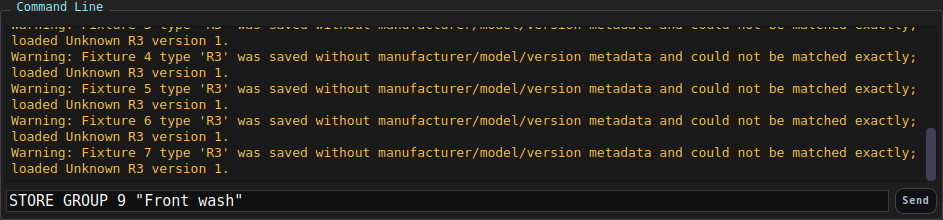
STORE GROUP 1 "Front wash". - Several commands on one line, separated by
;-RED 100; GREEN 50; BLUE 25. - Partial or wrong syntax prints the usage line rather than guessing. That
usage line is the same text as
HELP <verb>. - A keyword from another desk is caught before the line runs.
THRU,GOTOandTIMEall mean something here, but not where an attribute belongs; typed there they are named, told where they belong, and the line is abandoned rather than half-applied.PAN -45 THRU 45reportsTHRUand points at the fan form instead of setting pan to −45 and then complaining.
Naming several things at once
Nearly every id argument in LMX accepts a list expression:
| You type | You get |
|---|---|
4 | just 4 |
1 THRU 8 | 1, 2, 3, 4, 5, 6, 7, 8 |
1 + 4 + 9 | 1, 4 and 9 |
1 THRU 4 + 9 THRU 12 | both ranges |
This works for fixtures, groups, presets, palettes, cues, effects,
frequencies, targets and faders. A range skips gaps - DELETE PRESET 1 THRU 10 deletes the presets that exist in that span and says nothing about the rest
- while a bare id must exist.
Two list rules worth knowing:
- A head range stays inside one fixture:
SELECT HEAD 1.1 THRU 1.4. - A fader range stays on one page:
FADER 2.1 THRU 2.6 50is fine,1.5 THRU 3.2is not.
Selection is implied
Most commands act on the current selection, so you rarely name fixtures twice:
FIXTURE 1 THRU 6      # select
INTENSITY 100         # …applies to those six
RED 100 BLUE 0
You can still be explicit when you want to: SELECT FIXTURE 3 INTENSITY 50
selects and sets in one line. See Selecting fixtures.
Intensity has the shorthand every desk shares - 1 THRU 8 @ FULL is the same as
1 THRU 8 INTENSITY 100. See The programmer.
Typing help
- Ghost text appears ahead of the cursor as you type, showing the rest of the syntax for the command you are building.
- Tab completes the current word, or cycles the options if there is more than one.
- Attribute names complete too, taken from whatever the line is about - so
INTreachesINTENSITY, and after1 THRU 8the hint lists the attributes those eight fixtures actually have. Where a word is complete in itself, Tab takes it even if something longer starts the same way:PANcompletes toPAN, notPANIC. - Up / Down walk back through the commands you have run this session.
HELPlists every verb;HELP STOREprints every form ofSTORE. The same content, formatted, is the Command reference.
The completion tree is audited against the parser both ways by
scripts/cli_suggestion_audit.py: every verb the parser accepts is suggested, and every path the suggestions can build actually runs.
Reading the history
| Colour | Meaning |
|---|---|
| White | The command that ran |
| Green | Success |
| Amber | Success, but read the message |
| Red | Rejected - nothing changed |
The history is capped at 2000 entries and is also written to a session log
under ~/.lmx/cli_logs/.
Aliases
Short forms exist for the verbs you type most:
| Alias | Means |
|---|---|
? · H | HELP |
CLR | CLEAR |
RECORD | STORE |
DEL · REMOVE | DELETE |
CONF · CFG | CONFIG |
WHY | INSPECT |
PROG | SHOW |
EXIT · Q | QUIT |
Variables
Variables hold a value for the rest of the session (they are not saved into the showfile) and are substituted anywhere in a command.
$intensity = 75
$label = opening state          # multi-word values are quoted for you
FIXTURE 1 THRU 4 INTENSITY $intensity
STORE CUE 1 $label
SHOW VARS
Arithmetic works with +, -, *, /:
$n = 10
$n = $n + 5                     # 15
Names start with a letter and are case-insensitive. PRINT writes to the
history, INPUT asks you for a value:
INPUT $cue "Which cue? "
PRINT Storing cue $cue
Undefined variables, non-numeric arithmetic and division by zero are all reported rather than silently ignored. Variables come into their own inside macros.
Undo
UNDO
REDO
SHOW UNDO
Undo covers show-data changes - patching, stored objects, cue edits. Playback actions (GO, fader moves) are not undoable, because taking back a GO is not a thing an operator ever means.
Other places you can type
- The Targets tab has its own small command box for target commands.
- Keyboard keys and MIDI controls can be mapped to run an arbitrary command - see MIDI and keyboard mapping.
- A recorded macro is just a list of these commands.