2D stage layout
Arranging fixtures on a plan view, and the truss geometry behind it.
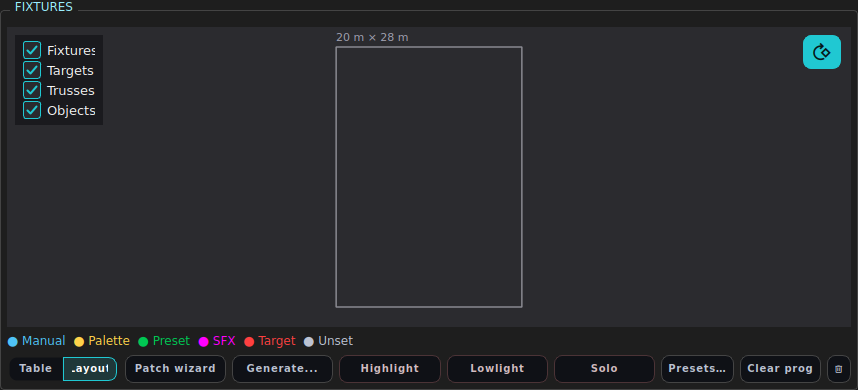
A top-down plan of the room: the stage, the trusses, the fixtures hanging off them, your targets and any scene objects. It is the quickest way to give a rig sensible positions, and the positions are what make the 3D visualiser and target aiming work.
Open it with the Layout half of the Table/Layout switch under the Fixtures
table - which swaps it into the same space as the fixture table - or as its own
window with LAYOUT.
The panes
Left - the editor pane.
| Section | Holds |
|---|---|
| Stage | Width, Depth, Height of the room, in metres |
| + Add Truss | Adds a truss you can then position and size |
| Selected Object | X / Y / Z, size and rotation of whatever is selected |
Right - the plan view. Drag things around; the numeric fields follow, and vice versa. The Edit toggle at the top turns dragging on and off, so you can use the layout purely as a picture without nudging anything by accident.
Fixtures, targets, trusses and objects can each be shown or hidden.
Coordinates
LMX’s room coordinates start at a corner of the stage, not at its centre:
- X runs across the stage
- Y runs upstage/downstage
- Z is height
All three are metres. A negative X is outside the room, which is the usual reason a fixture appears to have vanished from the visualiser.
Selection is shared
Clicking a fixture in the layout selects it in the programmer, and selecting in the programmer highlights it here. That makes the layout a perfectly good selection tool: click the four lamps over the drum riser and set a colour.
Trusses
A truss is both a piece of scenery and a piece of geometry. Fixtures hung from one inherit sensible heights, and Generate from rig reads the same truss geometry when it works out “which bar is this fixture on” - so what you draw here is what the generator groups by.
Doing the same by typing
UPDATE FIXTURE 1 POS 2.5 2.0 5.8
UPDATE FIXTURE 1 THRU 8 POS 2 THRU 10 0 THRU 0 6 THRU 6   # spread along a bar
UPDATE FIXTURE 1 THRU 8 ORI 0 -35 0
UPDATE FIXTURE 5 POS NONE                          # forget its position
VISUALISER WIDTH 12 DEPTH 8 HEIGHT 6               # stage size
The THRU form spreads a range across the fixtures, which is how you place a
straight bar in one line.
See also
3D visualiser · Scene objects · Fixtures and patching · Targets and aiming