Frequency masters
Shared clocks that keep several effects locked to one tempo.
A frequency master is a shared clock. Link several effects to one and they all run at its rate, locked in phase; change the rate once and every one of them changes together, live, with nothing to re-apply.
Without a frequency master, each effect runs at its own template speed.
In the GUI
The SFX tab holds a Frequency Masters table under the effects table.
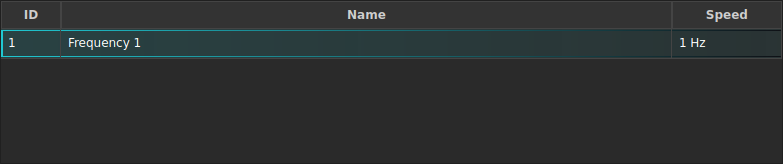
| Control | Does | Command |
|---|---|---|
| Add Frequency | Creates a new frequency master | CREATE FREQUENCY <id> … |
| Frequency table | Edit the name, mode and value in the cell | UPDATE FREQUENCY <id> … |
| Delete (trash) | Removes it | DELETE FREQUENCY <id> [FORCE] |
Creating one
A frequency is stored either as a rate in Hz or as a musical tempo in
BPM. A BPM value is stored as typed and evaluated as bpm ÷ 60 Hz, so
BPM 120 runs at 2 Hz.
CREATE FREQUENCY 1 BPM 128 NAME "Main tempo"
CREATE FREQUENCY 2 SPEED 0.5 NAME "Slow swell"
LIST FREQUENCIES
SHOW FREQUENCY 1          # mode, value, evaluated Hz, and what uses it
Linking effects to it
FIXTURE 1 THRU 8
APPLY SFX 1 FREQUENCY 1

GROUP 3
APPLY SFX 2 FREQUENCY 1   # now locked in sync with SFX 1

UPDATE FREQUENCY 1 BPM 140   # both change speed together, immediately
The link also works on cues and faders:
CUE 4 APPLY SFX 1 FREQUENCY 1
LOAD SFX 1 GROUP 2 AT FADER 6 FREQUENCY 1
Tap tempo
TAP FREQUENCY 1
The first tap resyncs every effect on that frequency to the downbeat. Each tap after that sets the BPM from the average interval since the first tap - so four taps on the beat both fixes the tempo and puts the effect on the beat.
Tap is the natural thing to map to a key or a MIDI pad:
MAP KEY NUM5 TAP FREQUENCY 1
MAP MIDI "APC mini" 1 NOTE 40 TO TAP FREQUENCY 1
See MIDI and keyboard mapping.
Riding a frequency on a fader
A fader can drive the frequency itself, with no effect loaded onto it:
CREATE FREQUENCY 1 SPEED 1
LOAD FREQUENCY 1 AT FADER 12 MIN 60BPM MAX 180BPM
FADER 12 50               # frequency 1 is now 120 BPM
Level 0 gives MIN, level 100 gives MAX, and everything between is
interpolated in Hz - so a Hz bound and a BPM bound can be mixed. Moving this
fader writes straight onto the live frequency, so every linked effect follows.
Riding the fader creates no history entry and no undo step: it is a runtime action like any other fader move. The value it leaves behind is saved with the show, because it lives on the frequency master.
Deleting
DELETE FREQUENCY <id> refuses while a cue, preset or fader still references
it. FORCE deletes anyway; the applications that were linked fall back to
their effect template’s own speed, and you get a warning saying so. A
frequency being ridden by a fader has no template to fall back to, so FORCE
removes the fader outright.
See also
Effects (SFX) · Faders and pages · MIDI and keyboard mapping